
The Toyota Camry maintenance reminder is a scheduled-service prompt, not a diagnosis of a specific failure. For the 2025 U.S. Camry, Toyota recommends scheduled maintenance every 5,000 miles or six months, whichever comes first. That does not mean every reminder requires an oil change. Check the maintenance guide for your exact model year, complete the listed service, record the work, and reset the reminder afterward.
Last updated: July 15, 2026
Quick Answer
The Toyota Camry maintenance reminder tells you that a scheduled service interval is due. On the 2025 U.S. Camry, the service rhythm is 5,000 miles or six months. Under normal conditions, engine oil and filter replacement is listed at 10,000 miles or 12 months. Reset the reminder only after you complete the service required for your model year and driving conditions.
Key Takeaways
- The maintenance reminder is not the same as the check engine, oil pressure, brake, ABS, SRS, hybrid-system, or TPMS warning light.
- Toyota’s 2025 Camry guide uses a 5,000-mile or six-month scheduled-service rhythm.
- The 2025 guide lists oil-and-filter replacement at 10,000 miles or 12 months under normal conditions, with shorter service for qualifying special operating conditions.
- Resetting before service can hide an overdue interval and make the next reminder less useful.
At a Glance
| Reset Time | Usually a few minutes after service |
| Difficulty | Easy when the correct model-year procedure is used |
| Tools Needed | None for the reset; service tools depend on the work performed |
| Cost | No charge to reset; maintenance cost depends on the service |
What Does the Toyota Camry Maintenance Reminder Mean?

The reminder tells you to check the scheduled-maintenance list for your current mileage and time interval. Depending on the model year, that visit may include tire rotation, fluid-level checks, brake and wiper inspections, filter service, and engine oil and filter replacement when scheduled.
This article uses the official 2025 U.S. Camry guide for concrete examples. Older Camrys use different engines, displays, and maintenance schedules. Use your VIN and model year to open the correct owner’s manual and maintenance guide before you reset anything. For a mileage-by-mileage overview, see the Toyota Camry maintenance schedule guide.
| What the Message Tells You | What It Does Not Tell You | Best Next Step |
|---|---|---|
| A scheduled service interval is due or approaching | The exact failed part or the exact service item without checking the guide | Match mileage and months to the model-year maintenance schedule |
| The reminder should be reset after scheduled service | That engine oil is low or oil pressure is unsafe | Complete the required work, save the record, then reset |
Note: The 2025 Toyota guide recommends scheduled maintenance every 5,000 miles or six months, whichever comes first. Your exact oil, filter, hybrid, AWD, and inspection items still depend on the guide for your vehicle.
How Does the Maintenance Light Work?
The “Maintenance Required” message functions as a service prompt. It is separate from systems that detect faults or unsafe conditions. When it appears, check the service date, odometer, maintenance records, and the schedule for your Camry’s model year.
What Service Can Trigger the Reminder?
On the 2025 Camry schedule, the maintenance reminder is reset at recurring 5,000-mile checkpoints. Those visits can include tire rotation, fluid-level checks, wiper inspection, brake inspection, floor-mat inspection, and other mileage-specific work. Oil service is listed at different checkpoints under normal conditions, so the reminder does not automatically mean “change the oil now.”
What Does the Maintenance Light Not Mean?
The reminder does not replace the check engine light, oil pressure warning, brake warning, ABS warning, SRS airbag warning, hybrid-system warning, charging-system warning, or tire pressure warning. Resetting scheduled maintenance will not diagnose or clear those separate warnings.
Warning: Treat a red oil pressure, brake, charging-system, engine-temperature, or other urgent warning differently from a routine maintenance reminder. Pull over safely when appropriate, check the owner’s manual, and arrange service before driving if the vehicle may be unsafe.
When Should You Reset the Maintenance Light?
Reset it only after the scheduled work is complete. Before resetting, record the service date, mileage, work performed, and parts or fluids used. Then follow the procedure for your exact display and model year.
For the detailed menu-based procedure used by the 2025 Camry, go to How Do You Reset the Toyota Camry Maintenance Light? below.
Why Does Timely Service Matter?
Scheduled service helps you catch tire, brake, fluid, filter, cooling, steering, suspension, and drivetrain concerns before they become larger problems. Toyota also advises owners to keep maintenance records with the date, mileage, and work performed.
- Follow mileage and time: If six months arrives before the mileage limit, the scheduled visit is still due.
- Use the correct operating-condition table: Extra service applies only when the listed conditions describe most of your driving.
- Reset after service: Resetting early can disconnect the reminder from the work actually completed.
Is the Maintenance Reminder the Same as Other Warning Lights?
No. The maintenance reminder usually calls for scheduled service, while other dashboard lights can report a fault, unsafe condition, or system malfunction.
Use this table as a quick sorting guide, then confirm the exact symbol and instructions in your owner’s manual.
| Dashboard Light or Message | What It Usually Means | What to Do |
|---|---|---|
| Maintenance Required | Scheduled service is due or approaching | Check the maintenance guide, complete the service, then reset the reminder |
| Check Engine Light | The engine or emissions-control system detected a fault | Arrange diagnosis; reduce driving and seek prompt help if the light flashes |
| Oil Pressure Warning | Engine oil pressure may be dangerously low | Stop safely and shut off the engine as soon as it is safe |
| Brake Warning | The parking brake may be set, brake fluid may be low, or the brake system may have a fault | Check the parking brake; seek service if the warning remains on |
| ABS Light | The anti-lock brake system detected a fault | Normal braking may remain, but ABS may be unavailable; arrange service |
| SRS Airbag Light | The supplemental restraint system detected a fault | Have the airbag system inspected promptly |
| TPMS / Tire Pressure Light | A tire may be significantly underinflated, or the TPMS may have a fault | Inspect the tires and check cold pressure against the door-jamb placard |
| Low Fuel Light | Fuel level is low | Refuel soon |
The National Highway Traffic Safety Administration advises drivers to check tire pressure when the tires are cold and notes that TPMS warns only after significant underinflation. A TPMS light is not a scheduled-maintenance reminder.
How Do You Reset the Toyota Camry Maintenance Light?
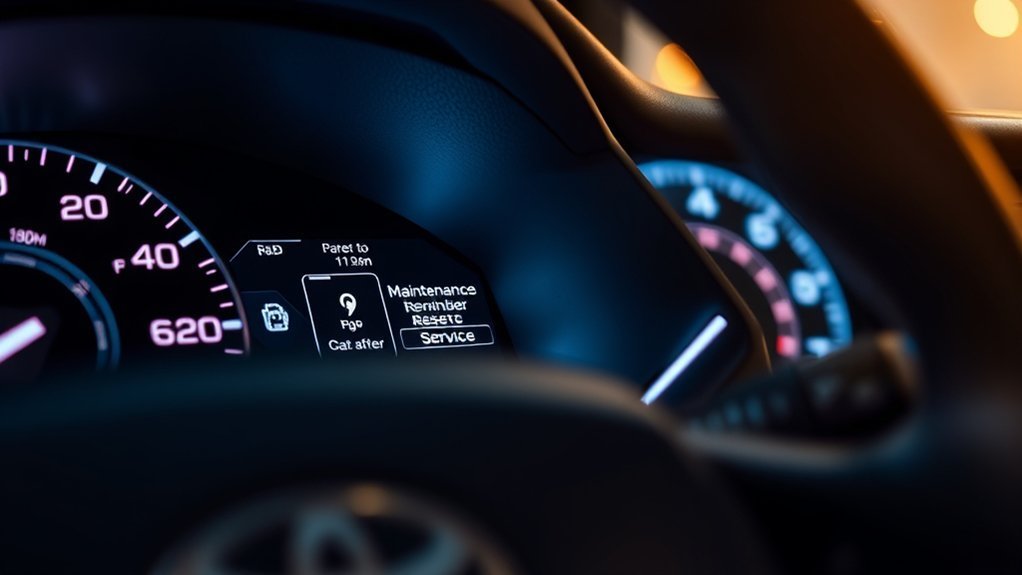
Service first and reset second. The following menu path applies to the 2025 Camry covered by Toyota’s linked manual. Menu names and button sequences can differ on older Camrys.
Which Reset Path Applies to Your Camry?
| Dashboard Type | Reset Approach | What to Verify |
|---|---|---|
| Multi-information display with “Vehicle Settings” | Use the steering-wheel controls and the scheduled-maintenance menu | Confirm the menu wording in the owner’s manual for your year |
| Older cluster without that menu | Use the model-year procedure in the owner’s manual; some older layouts use the odometer or trip-meter control | Do not copy a reset sequence from a different Camry generation |
For the 2025 Camry, use this sequence after the required maintenance is complete:
- Park safely and turn the vehicle on.
- Use the steering-wheel meter controls to open the multi-information display settings.
- Select “Vehicle Settings.”
- Select “Scheduled Maintenance.”
- Choose “Yes” to confirm the reset.
- Check for a reset-complete message.
If your display does not show these menu names, stop and use the owner’s manual for your model year. Toyota’s general support guidance also directs owners to the vehicle-specific manual for the correct reset process.
Note: If the reminder returns immediately, confirm that you reset “Scheduled Maintenance,” not another customizable reminder. Then verify the service interval and repeat the model-year procedure once.
Why Should You Save the Service Record Before Resetting?
The reset erases the dashboard prompt, but it does not create a complete maintenance history. Save the date, odometer reading, service performed, and parts or fluids used before you clear the reminder.
Toyota’s 2025 maintenance guide says owners should keep detailed records. It also explains that Toyota will not deny a warranty claim solely because records are missing or an independent provider performed the work. However, damage caused by improper or missing maintenance may not be covered.
Pro Tip: Photograph the invoice and save it with the mileage in a cloud folder or maintenance app. That gives you a usable record even if the paper receipt fades.
What Service Is Due When the Reminder Appears?
The dashboard reminder does not list every required item. Match the odometer and elapsed time to the official guide. The table below is a 2025 U.S. Camry example, not a universal schedule for every Camry.
| 2025 Interval | Typical Scheduled Work | Oil and Filter |
|---|---|---|
| 5,000 miles / 6 months | Rotate tires, inspect fluid levels, wipers, brakes, and listed components; reset the maintenance reminder | Not automatically due under normal conditions |
| 10,000 miles / 12 months | Repeat scheduled checks and complete the mileage-specific items in the guide | Replace engine oil and filter under the normal 2025 schedule |
| Qualifying special operating conditions | Use the additional-service rows only when the listed condition describes most of your driving | The 2025 guide lists 5,000-mile oil service for primary use on dirt, dusty, or muddy roads, or roads with melted snow |
Do not carry these exact intervals over to another Camry year without checking. Engines, hybrid systems, AWD components, filters, and special-operating-condition rules can differ. The full Camry maintenance schedule by mileage covers the broader service timeline, while this page focuses on the reminder and reset process.
Why Does the Camry Maintenance Light Stay On or Come Back?
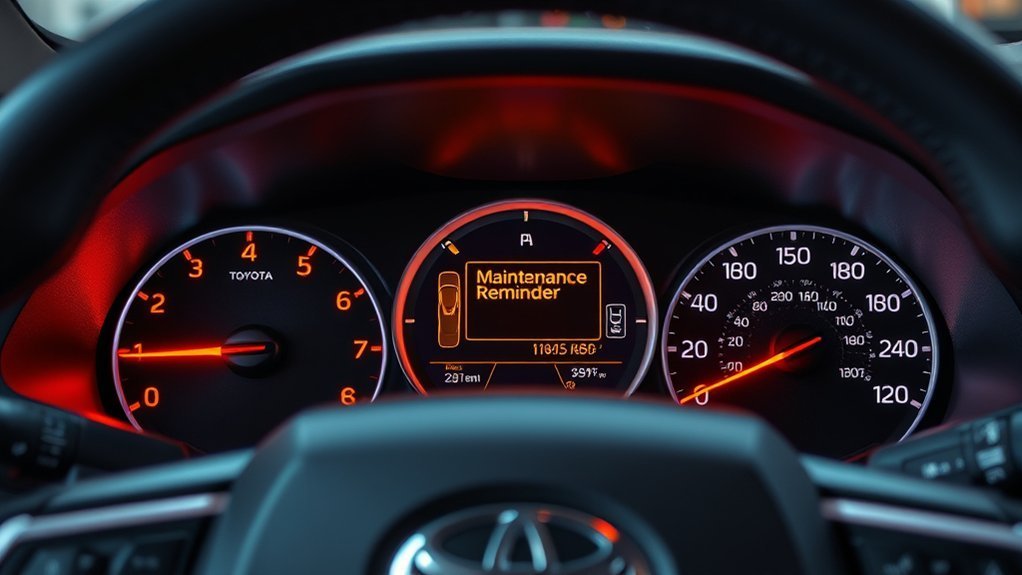
If the reminder stays on or returns quickly, do not keep clearing it. Use the dashboard wording and service history to identify which situation applies.
The Light Is On Before Service
Check the odometer, the date of the last service, and your records. If the scheduled interval is due, complete the listed service first. The reminder is working as intended.
The Light Stays On After Service
The reset may not have completed, or the shop may not have reset it. Repeat the correct procedure and look for the confirmation message. Use the owner’s manual if your display does not match the 2025 menu path.
Another Warning Light Is On
Read the exact symbol or message. A check engine, oil pressure, brake, ABS, SRS, hybrid-system, charging-system, or TPMS warning needs separate diagnosis. Resetting scheduled maintenance will not clear the underlying fault.
A Shop Completed the Service
Ask which items were performed and whether the reminder was reset. Keep the invoice with the date and mileage. If the dashboard still shows a message, compare its exact wording with the owner’s manual before assuming the service reminder failed.
When Should You Check the Manual or See a Technician?
You can usually reset the scheduled-maintenance reminder yourself after service. Check the owner’s manual or arrange professional help when:
- The message returns after you confirm the correct reset procedure.
- A red warning light or flashing check engine light appears.
- The vehicle develops unusual noise, vibration, pulling, smoke, overheating, leaks, or braking changes.
- You cannot determine which service interval applies to your model year and driving conditions.
- The display wording does not match the procedure shown here.
For official guidance, use the Toyota maintenance-light reset support page and the owner’s manual for your exact vehicle.
Frequently Asked Questions
What does the maintenance required light mean on a Toyota Camry?
It means a scheduled service interval is due or approaching. Check your model-year maintenance guide to see which inspections, tire service, filters, fluids, or oil service apply before resetting the message.
Does the Toyota Camry maintenance light always mean an oil change?
No. On the 2025 U.S. Camry, scheduled visits occur every 5,000 miles or six months, while oil and filter replacement is listed at 10,000 miles or 12 months under normal conditions. Other model years and driving conditions can use different intervals.
Is the maintenance required light the same as the check engine light?
No. The maintenance reminder calls for scheduled service. The check engine light means the vehicle detected an engine or emissions-control fault and may have stored a diagnostic code.
Can I drive with the maintenance required light on?
A routine maintenance reminder is usually not an immediate emergency, but you should check the schedule and arrange the due service soon. Stop treating it as routine if another urgent warning, overheating, unusual noise, braking change, smoke, or fluid leak appears.
Why did my Camry maintenance light come back after I reset it?
The reset may not have completed, the wrong reminder may have been selected, or the vehicle may still be at a due service interval. Confirm the required work, repeat the model-year procedure, and read the exact dashboard message.
Should I reset the maintenance light before doing the service?
No. Complete the scheduled maintenance first. Resetting early can hide an overdue interval and make the next reminder less useful.
Conclusion
When the Toyota Camry maintenance reminder appears, check the mileage, months since the last service, and the schedule for your exact model year. Complete the listed work, save the service record, and then use the correct reset procedure. Treat any check engine, oil pressure, brake, charging, hybrid-system, temperature, or TPMS warning as a separate issue.
Sources
- Toyota 2025 Camry Warranty & Maintenance Guide — scheduled-maintenance timing, maintenance-log items, oil-and-filter intervals, operating-condition rules, and recordkeeping
- Toyota Owners: 2025 Camry Maintenance Requirements — vehicle-specific maintenance and reset guidance
- Toyota Support: How Do I Reset the Maintenance Required Light? — direction to use the vehicle-specific owner’s manual
- Toyota Owners: 2025 Camry General Maintenance — owner-check maintenance topics
- NHTSA TireWise — cold tire-pressure checks, tire rotation, tread checks, and TPMS guidance
- eCFR 49 CFR § 571.138 — federal TPMS warning and malfunction requirements

