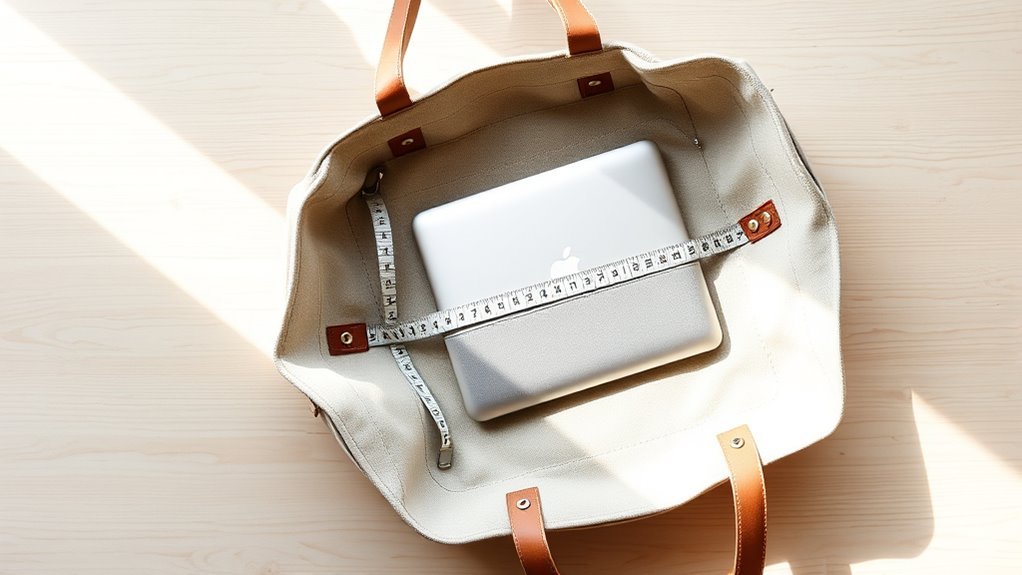
To determine if your laptop fits in a tote bag with a sleeve, start by measuring your laptop’s width, depth, thickness, and screen size diagonally. Next, measure the sleeve’s internal dimensions and check the tote’s compartment dimensions. Aim for at least 0.25 to 0.5 inches of extra space for ease of use. Make sure the sleeve is padded for protection. This guarantees a snug fit that prevents movement and potential damage, and there’s more to learn on this topic.
Why Measuring Your Laptop Matters for Bag Compatibility
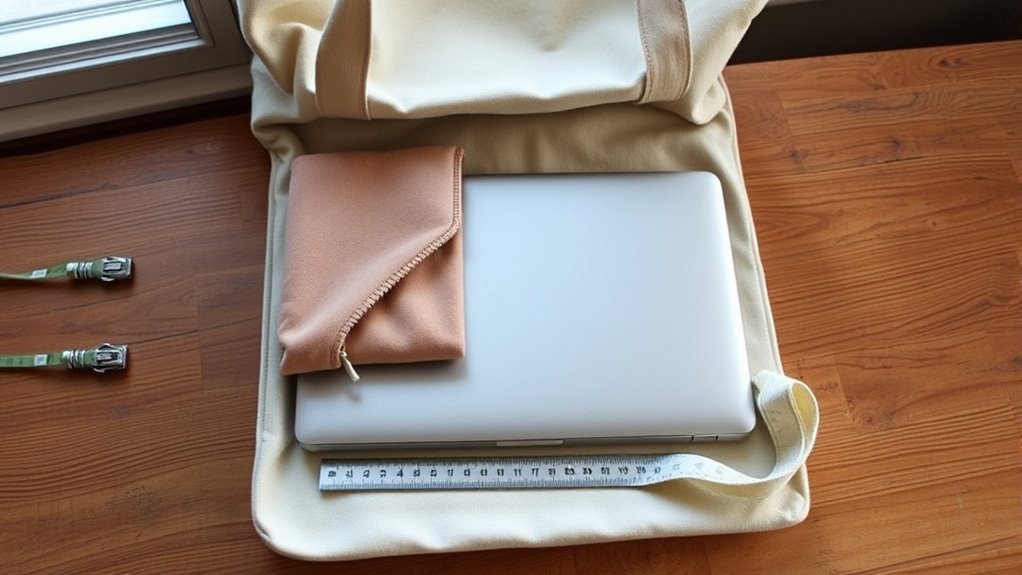
Measuring your laptop is vital for guaranteeing it fits comfortably in your tote bag. Knowing your laptop’s width, depth, and thickness helps you select a bag style that provides adequate space.
Measuring your laptop’s dimensions ensures a perfect fit in your tote bag, providing the space needed for protection and convenience.
Remember, a laptop’s screen size is measured diagonally, but you also need the full body dimensions, especially if you use a case or sleeve.
For ideal laptop safety, choose a tote bag with a compartment slightly larger than your laptop’s measurements. Aim for an extra 0.25 to 0.5 inches to prevent tight fits that strain zippers or seams.
It’s important to check the internal dimensions of the bag’s laptop compartment against your laptop’s specs. A proper fit not only guarantees ease of insertion and removal but also protects your device from potential damage.
Step-by-Step Guide to Measuring Your Laptop
To guarantee your laptop fits perfectly in a tote bag, follow this step-by-step guide for accurate measurements. Knowing your laptop dimensions is essential for compatibility with various tote bag materials and sleeves.
- Measure the screen diagonally from edge to edge, excluding the bezel.
- Close your laptop and measure its width along the top, accounting for outer edges.
- Measure the depth from the front edge to the back, including hinges.
- Determine the thickness from the base to the top cover, which is important for sleeve selection.
Once you have these measurements, compare them with the internal dimensions of your tote bag and sleeve.
Confirm there’s at least 0.25 to 0.5 inches of extra space for a secure fit.
Measure Your Sleeve and Tote Bag Sizes
When choosing a tote bag for your laptop, knowing the dimensions of both your sleeve and the bag itself is essential. Start by measuring your sleeve’s internal dimensions; it should be slightly larger than your laptop’s body dimensions to guarantee a snug fit without excess movement.
Next, check the tote compartment’s dimensions—focus on width, height, and depth—to confirm it can comfortably accommodate both the sleeve and laptop together.
Don’t overlook the tote bag’s opening size; it should be wide enough to easily insert and remove the laptop sleeve. Additionally, assess the sleeve’s thickness and verify it aligns with the tote’s depth to avoid bulging or difficulty in closing the bag.
Finally, confirm that the sleeve is padded for protection, and check for any additional padding in the tote to prevent damage during transport. This careful measurement guarantees a practical and liberating experience when carrying your devices.
Finding the Right Fit: How Much Extra Space to Leave?
Finding the right fit for your laptop in a tote bag requires careful consideration of extra space. To guarantee ideal sleeve compatibility and protection, keep the following in mind:
- Aim for at least 0.25 to 0.5 inches of extra space in width, height, and depth for easy insertion and removal.
- If your tote bag has extra padding, consider adding another 0.5 inches or more to accommodate the bulk from the sleeve.
- Confirm the sleeve fits snugly within the tote; if your laptop is close to the sleeve’s maximum size, opt for a slightly larger bag.
- Always measure your laptop’s dimensions, including the protective sleeve, and compare them to the tote bag’s internal compartment for an accurate fit.
A well-fitted tote bag should hold your laptop securely while allowing for minimal movement, preventing potential damage during transport.
Common Mistakes When Choosing a Bag for Your Laptop
Choosing the right tote bag for your laptop can be tricky, especially with common mistakes that many make along the way. One frequent error is measuring only the diagonal screen size of your laptop. You need to take into account the overall laptop dimensions, including width, depth, and thickness, to guarantee a proper fit.
Choosing a tote bag requires careful measurement of your laptop’s overall dimensions, not just the screen size.
Don’t assume that a bag labeled for a specific laptop size will accommodate all models; variations in body thickness can lead to disappointment.
Additionally, always check the internal dimensions of the tote bag’s laptop compartment. A tight or loose fit increases the risk of damage. Aim for at least 0.25 to 0.5 inches of extra space for ease of access.
Finally, don’t overlook sleeve padding and tote materials. A well-cushioned sleeve is essential to absorb shocks and prevent scratches, safeguarding your laptop during transport.
Frequently Asked Questions
Can You Fit a Laptop in a Tote Bag?
Yes, you can fit a laptop in a tote bag, but check the tote bag types and laptop dimensions. Measure both to guarantee a snug yet comfortable fit, allowing for easy access and movement.
How to Measure Laptop Size for Sleeve?
To measure your laptop for sleeve compatibility, check the screen size diagonally, then measure width, depth, and thickness. Confirm the sleeve’s dimensions exceed your laptop’s for a snug, protective fit that allows freedom.
Will a 16 Inch Laptop Fit in a 15.6 Inch Sleeve?
A 16-inch laptop likely won’t fit comfortably in a 15.6-inch sleeve due to laptop dimensions. Check sleeve compatibility carefully; make certain it provides enough space, ideally at least 0.5 inches, for best protection.
What Is a Laptop Sleeve in a Bag?
A laptop sleeve in a bag protects your device, using materials like neoprene or padded nylon. It fits snugly, ensuring compatibility with tote bag dimensions, and enhances safety against bumps, scratches, and moisture.
Conclusion
To sum up, ensuring your laptop fits snugly in a tote bag with a sleeve is essential for protection and convenience. Remember, “measure twice, cut once” applies here too—double-check those dimensions! By accurately measuring your laptop, sleeve, and tote bag, and leaving a little extra space, you’ll avoid any mishaps. Take the time to make sure everything fits well, and you’ll enjoy peace of mind while on the go. Happy bag shopping!